
Project Management Tracker
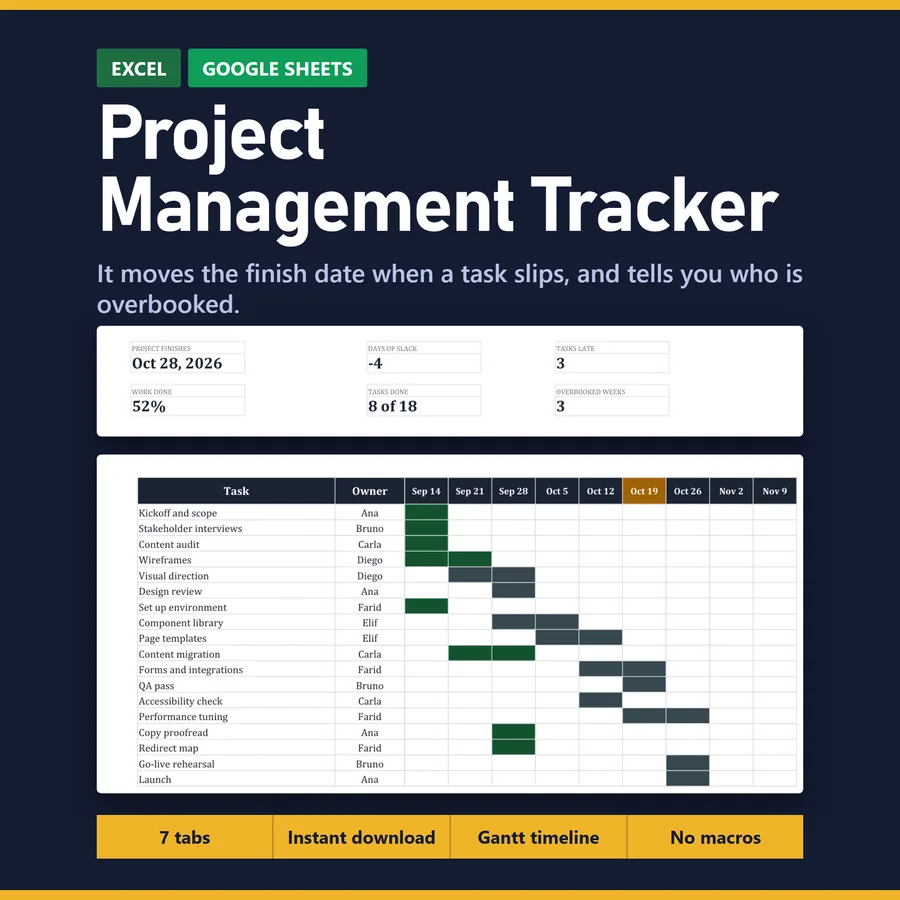
Starts every task on the later of your planned day and the day after the one it waits for, so when a task slips the finish date moves with it.
For anyone running a plan that other people are waiting on. The three bestsellers in this category all sell the same trio -- Gantt, Kanban, Eisenhower -- and every one of them draws the tasks you typed. This one moves the finish date when a task slips, and adds up the hours landing on each person.
Digital download — the files are yours as soon as you pay, so there are no returns. What the file does is shown above and in the listing photos, before you buy.
What is inside
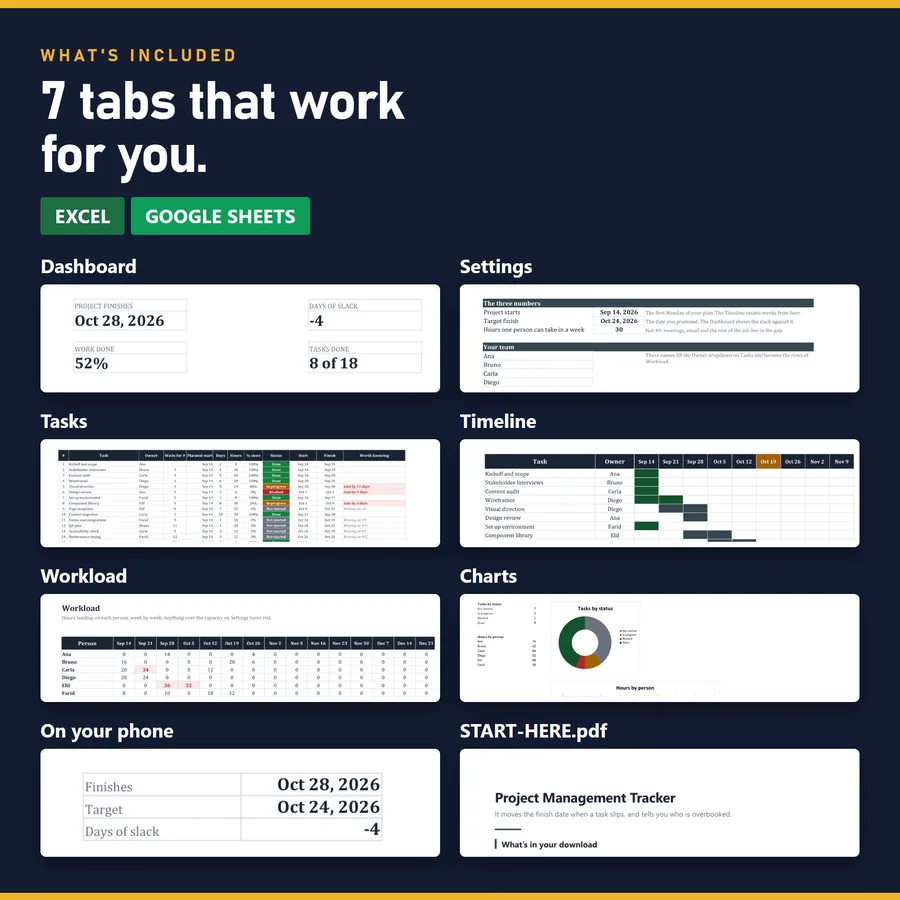
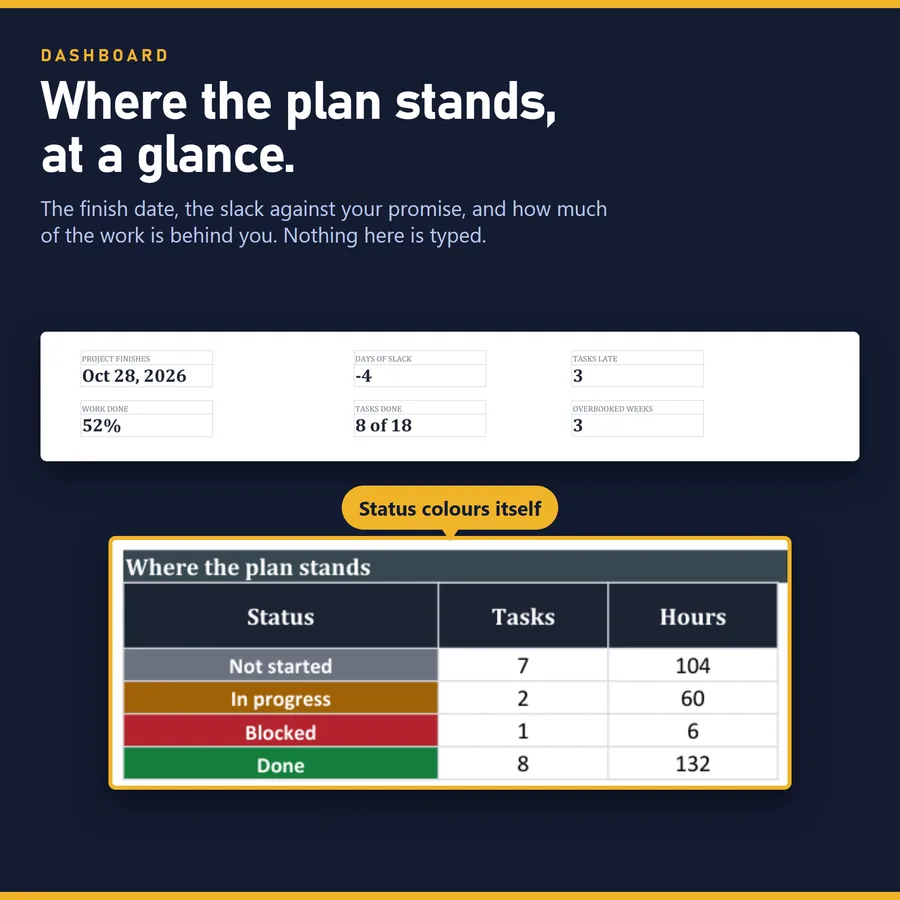
- Dashboard
- Settings
- Tasks
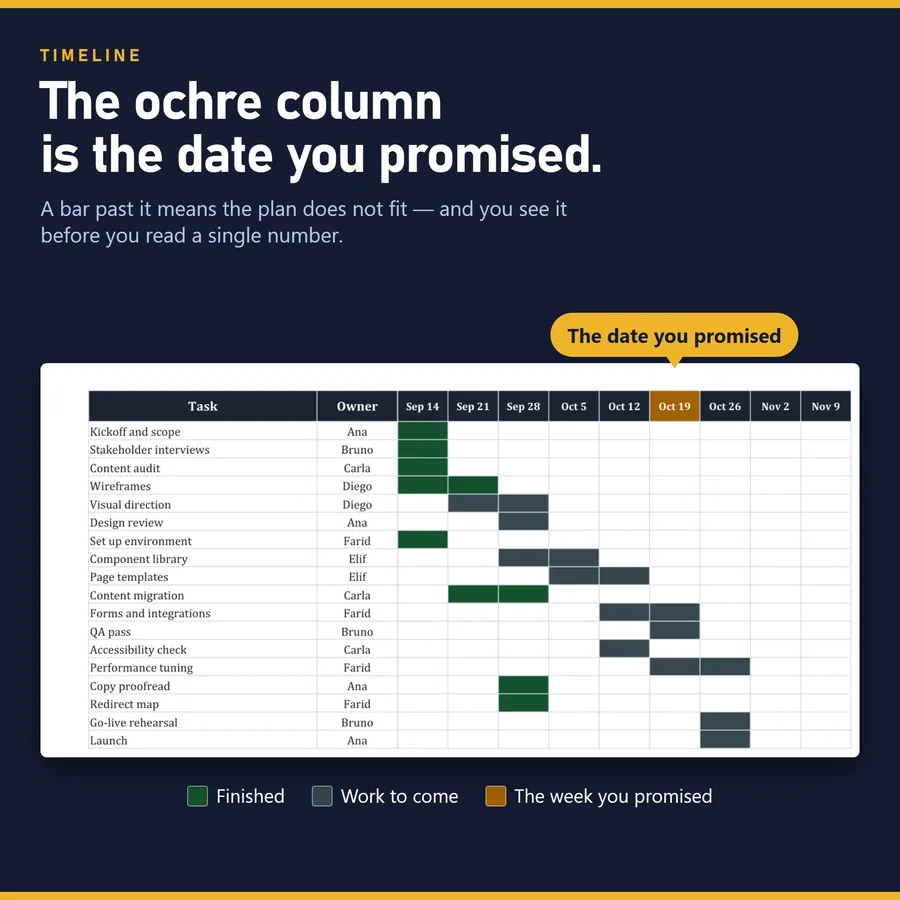
- Timeline
- Workload
- Charts
- On your phone
Every tab is in one workbook. Thousands of rows are already formatted, so there is no question of what happens when you run out.
What it does not do
It is not a Kanban board -- a spreadsheet does not drag cards -- and it does not resolve a whole network of dependencies or compute a critical path: one task waits for one task. Days are calendar days, so if your team works five days a week, plan the extra days in yourself.
It opens in Excel and in Google Sheets. No macros, nothing to install, no subscription — which is also why nothing in it can reach the internet on your behalf.
A closer look
Before you start
When does the plan actually land? Say how long each task takes and what it waits for, and the date works itself out. Try it with your own tasks — free, in the browser, nothing to install.