Seller Bookkeeping Spreadsheet
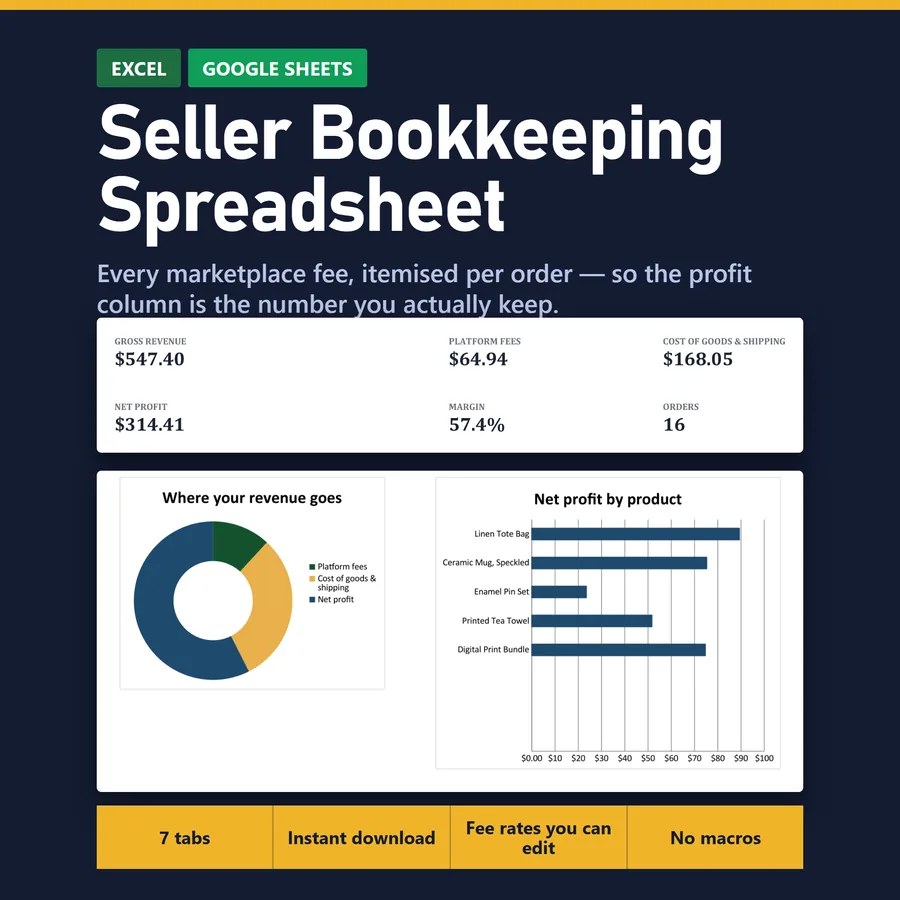
Takes marketplace fees, shipping and cost of goods off each order, so profit is the number you actually keep.
Marketplace sellers who want to know the profit they actually keep after fees, shipping and cost of goods.
Digital download — the files are yours as soon as you pay, so there are no returns. What the file does is shown above and in the listing photos, before you buy.
What is inside
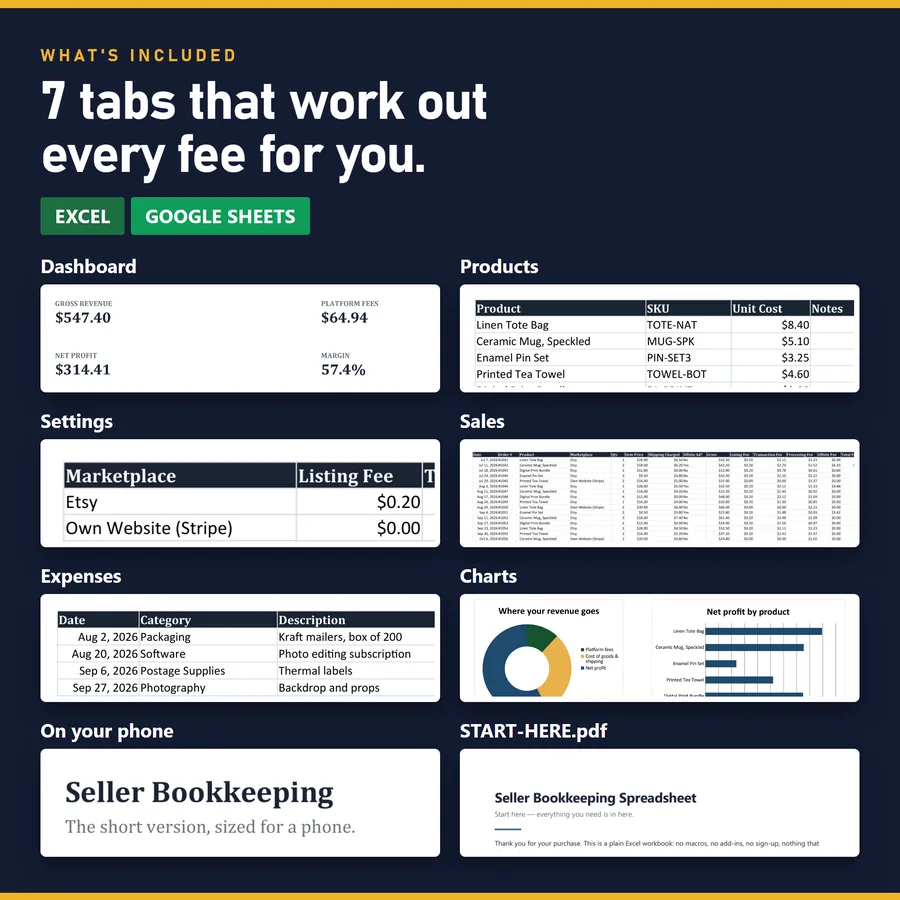
- Dashboard
- Products
- Settings
- Sales
- Expenses
- Charts
- On your phone
Every tab is in one workbook. Thousands of rows are already formatted, so there is no question of what happens when you run out.
What it does not do
It does not connect to Etsy or import your orders. You enter the sales, and it takes the fees off for you.
It opens in Excel and in Google Sheets. No macros, nothing to install, no subscription — which is also why nothing in it can reach the internet on your behalf.
A spreadsheet to keep track of Etsy sales, fee by fee
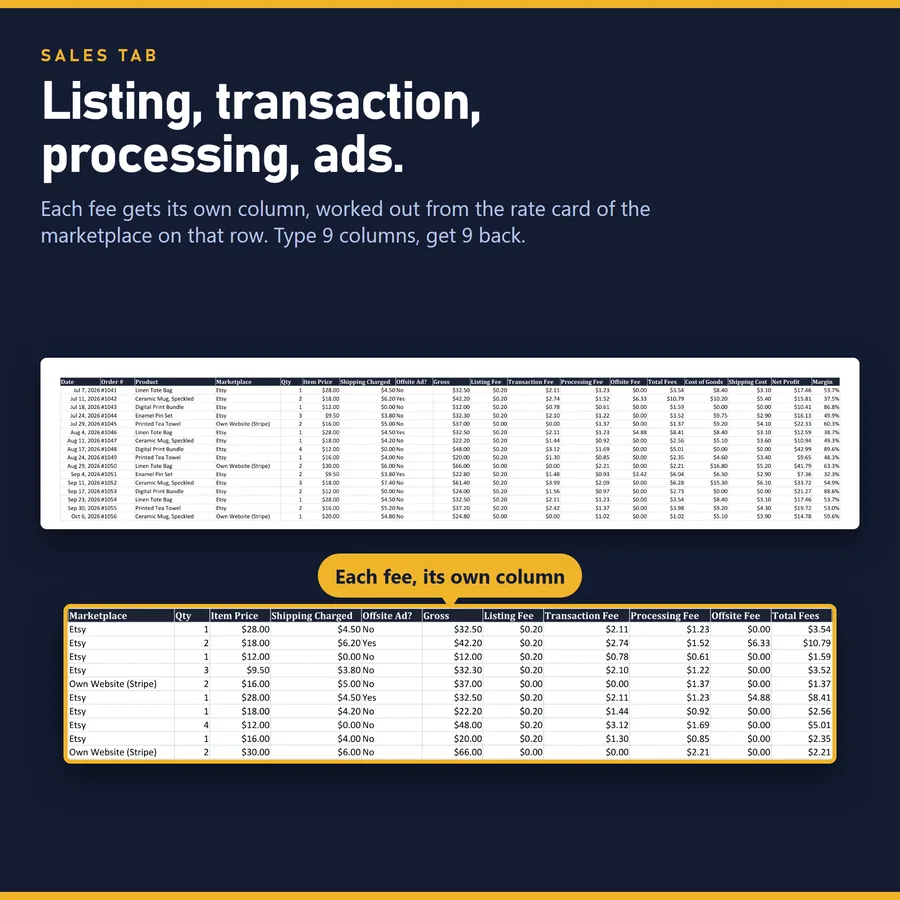
The payout email tells you what landed in the bank. It does not tell you what each order made. Between the sale and the deposit come a listing fee, a transaction percentage, payment processing and, on some orders, an offsite ad commission. A spreadsheet that only records revenue minus cost of goods never sees that stack, so the profit it reports is higher than the one you keep.
This workbook keeps one row per order. You type what you already know about the sale, and it works out each fee from a rate table on the Settings tab, then cost of goods, net profit and margin. An order that loses money turns red on its own.
In the example file, two orders of the same tote bag — 32.50 each, same marketplace, same week — keep 17.46 and 12.59. The only difference is a Yes in the offsite-ad column. Across sixteen orders on two channels, fees take almost 12% of gross revenue: the number the payout email never separates out.
The rates sit in one row per place you sell, so the same item sold on Etsy and on your own site shows two different profit figures, and when a rate changes you correct one cell instead of every formula. The marketplace row comes prefilled from the published fee policy; check it against your own account, because rates vary by country.
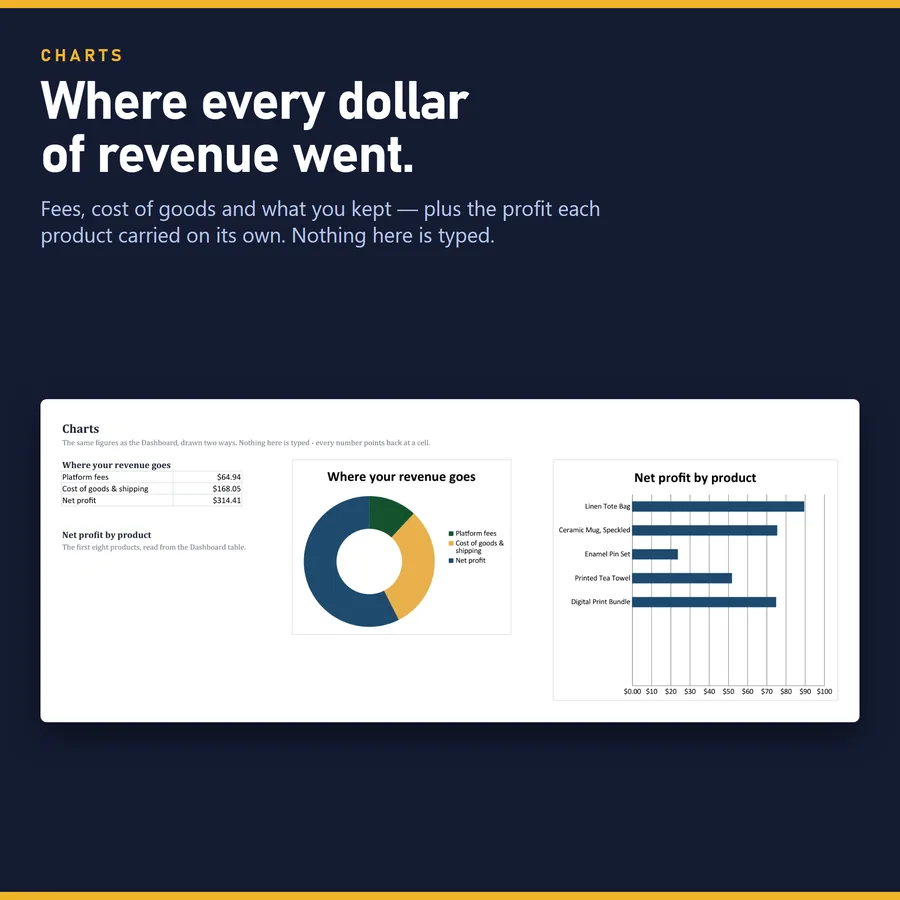
The Dashboard adds revenue and profit month by month with a chart, profit by product — which item is worth making, not just which one sells most — and fees split by type. There is room for 60 products, 2,000 orders and 500 general business expenses.
Questions
Does it import my Etsy orders?
No. You enter each sale yourself; nothing connects to your shop, which is also why there is no login and no subscription.
What happens when the fees change?
Change the rate in the Settings table and every order in the file recalculates from it.
Can I track sales from other channels too?
Yes. A second row is set up for selling direct on card payments, and blank rows are left for your other channels, each with its own rates.
Does it work in Google Sheets?
Yes. Import the .xlsx with File > Import > Upload and choose "Replace spreadsheet"; the formulas, dropdowns and colour rules carry over.
Is this enough for my taxes?
It is a spreadsheet, not accounting or tax advice. It gives you clean totals by month, product and fee type to take to whoever prepares your return.