Rental Property Tracker
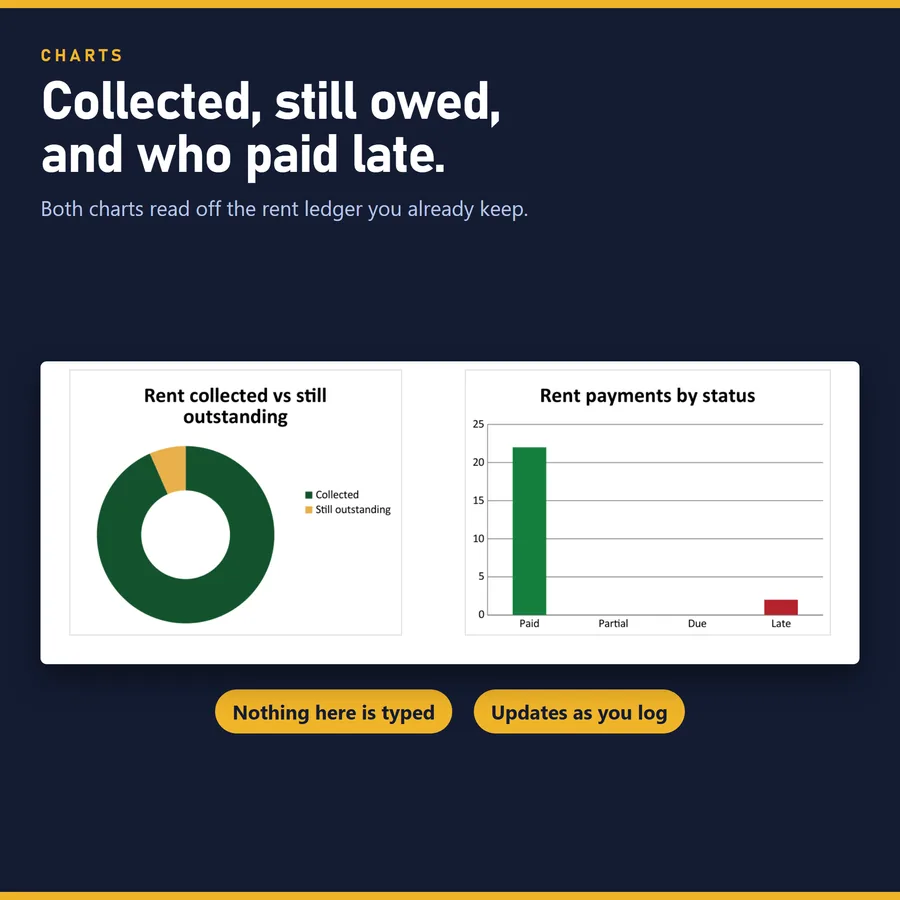
Reads each month's rent against what was paid and calls it Paid, Partial, Due or Late without you deciding.
Landlords with a few units who want rent status and what each property keeps after costs, without a monthly subscription.
Digital download — the files are yours as soon as you pay, so there are no returns. What the file does is shown above and in the listing photos, before you buy.
What is inside
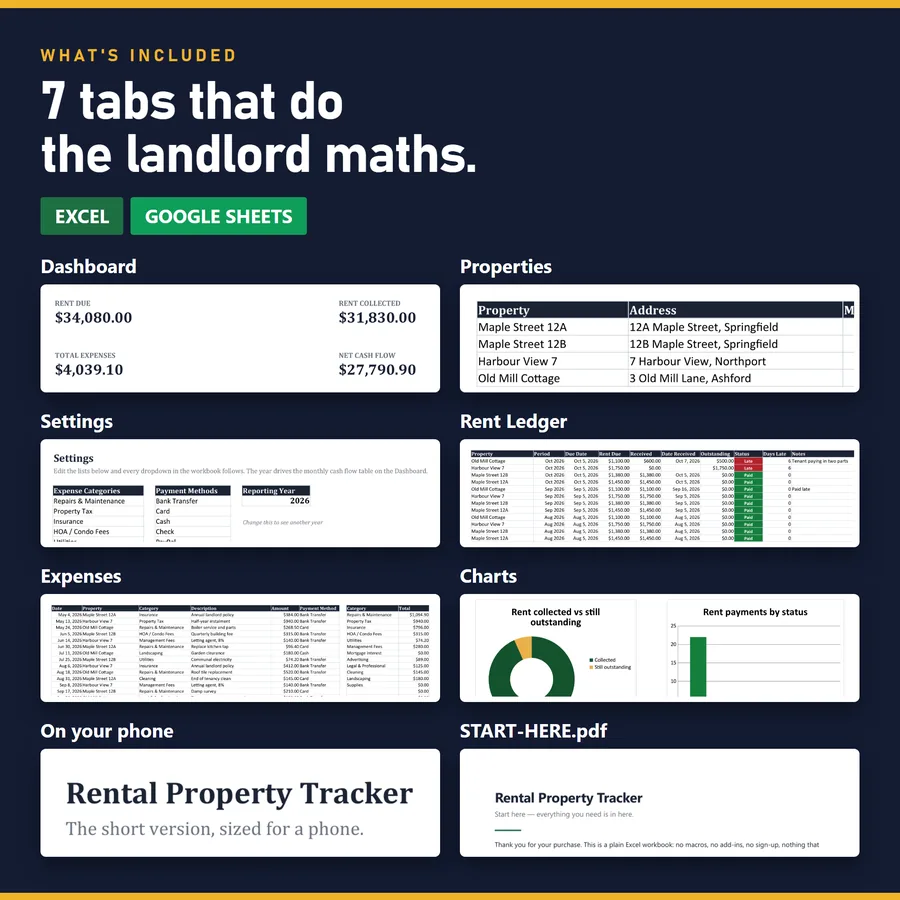
- Dashboard
- Properties
- Settings
- Rent Ledger
- Expenses
- Charts
- On your phone
Every tab is in one workbook. Thousands of rows are already formatted, so there is no question of what happens when you run out.
What it does not do
It does not connect to a bank or a listing site. You enter what was paid, and the file works out the rest.
It opens in Excel and in Google Sheets. No macros, nothing to install, no subscription — which is also why nothing in it can reach the internet on your behalf.
Tracking rent in a spreadsheet, property by property
A rent tracking spreadsheet has to answer three questions every month: who has paid, who still owes and how much, and what each property keeps once its costs are paid. Most stop at the first one, with a column of ticked boxes.
This one keeps a rent ledger with one row per charge: period, due date, rent due, amount received and date received. From those it works out the outstanding balance and a status — Paid, Partial, Due or Late — with the days late counted against today's date every time you open the file. A tenant who pays half is not marked unpaid; the exact balance carries forward.
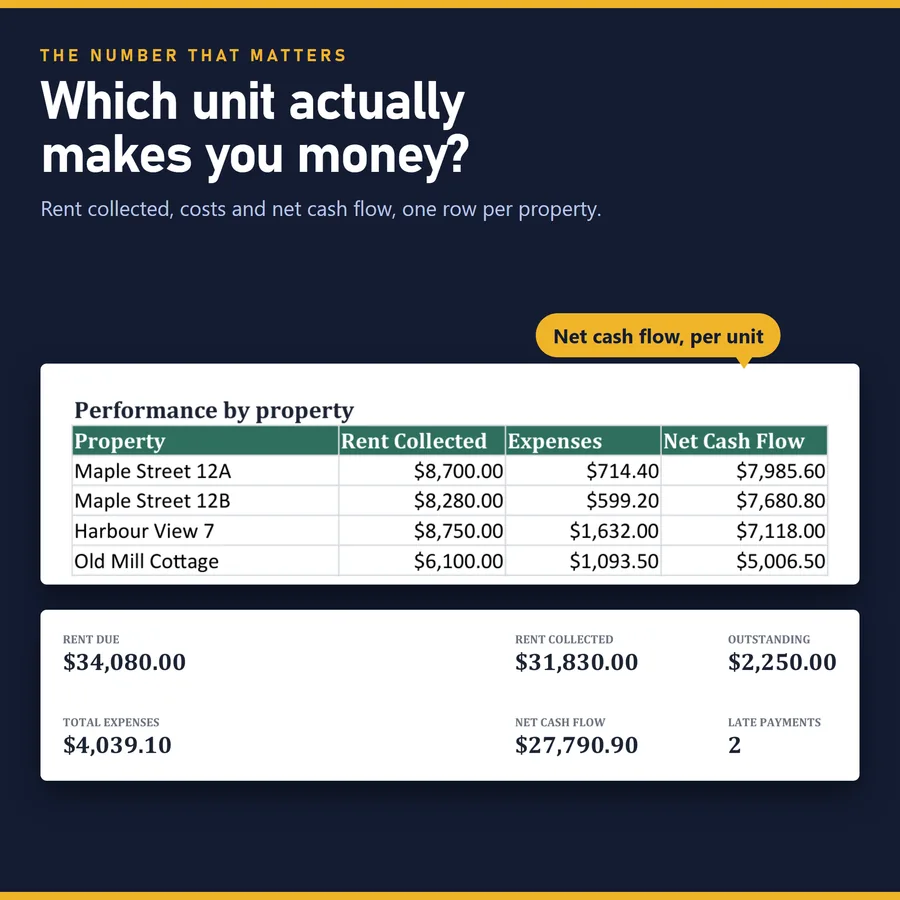
Each expense is tagged to the property that incurred it, which is what lets the Dashboard rank properties by what they keep rather than by what they collect. In the example file, Harbour View 7 collects the most rent of four properties and comes third on what it keeps, because its costs were nearly three times those of Maple Street 12B. A rent roll would have ranked it first.
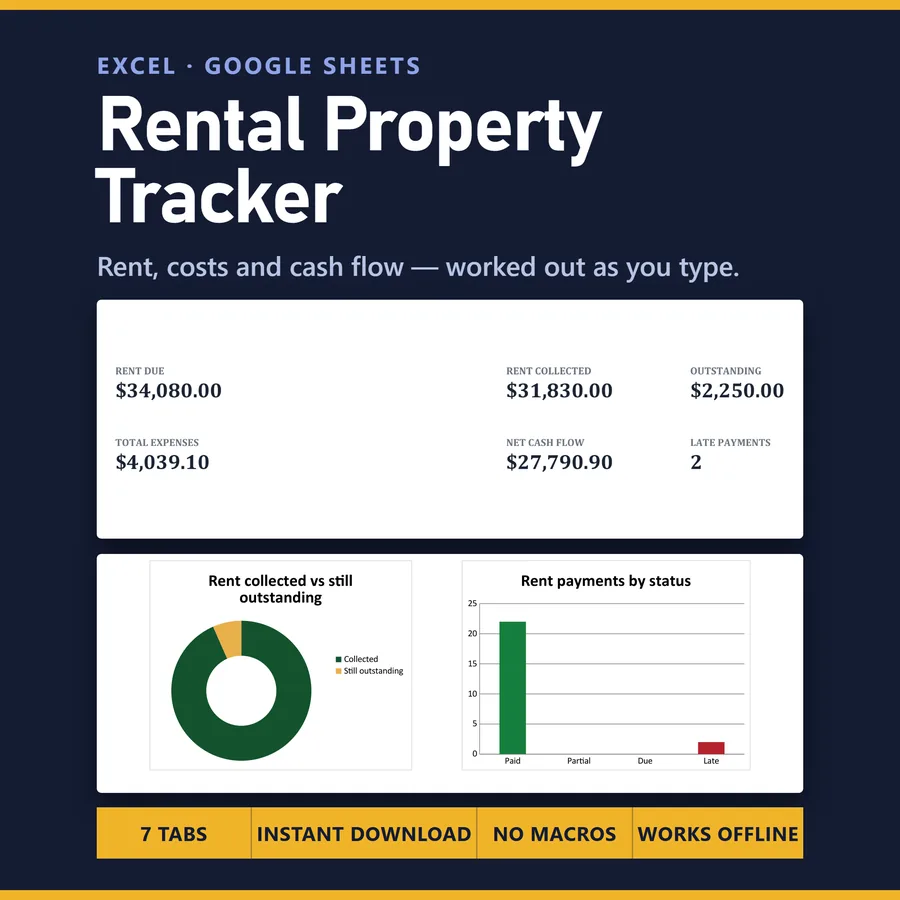
Across the example: 34,080 charged, 31,830 collected, 2,250 still outstanding, 4,039.10 in costs and 27,790.90 actually kept. Cash flow by month is charted, expenses are split by category, and a phone tab stacks the headline numbers so you can check them without a laptop.
It holds 60 properties, 2,000 rent charges and 2,000 expenses, so a growing portfolio does not mean rebuilding the file.
Questions
Does it collect rent or send reminders?
No. It records what was paid and tells you who is late and by how many days; collecting and reminding stay with you.
Can I use it for a single property?
Yes. Fill in one row on the Properties tab and the Dashboard reports on that one; there is room for up to 60.
Does it work in Google Sheets?
Yes. Import the .xlsx with File > Import > Upload and choose "Replace spreadsheet"; the formulas, dropdowns and colour rules carry over.
Can I use my own currency?
Dates and currency follow your own regional settings, and the START-HERE guide shows how to change the currency symbol.
Is it ready for my tax return?
It is a spreadsheet, not accounting or tax advice. The expense categories are ordinary bookkeeping labels, not any country's tax form, so check your figures before filing anything.